Friday, July 5, 2013

Comparison of Relationship Report to ftDNA prediction

Click to enlarge my Relationship Report

In my last post, I talked about my paternal grandmother's new autosomal DNA match. We found our common ancestors to be Henry TATE and Sarah NETHERLAND. Family Tree DNA predicted that this match and my grandmother were 5th to Remote Cousins.

I asked this match to send me her direct line descendancy and then I entered them into my RootsMagic software, starting from her descendancy from Henry Tate and Sarah Netherland through their daughter Mary Tate Davis. I then did a relationship comparison and learned that my grandmother and her match were

6th cousins, 1x Removed

Being 6th cousins would normally mean that they share the same 5th great-grandparents; however because they are 1x removed, their common ancestors are 5th great-grandparents for one of them and 6th for the other.  


Relationships can be compared in RootsMagic by going to Tools / Relationship Calculator. Then enter each person and click the "Calculate" button: 


Relationship Calculator
RootsMagic Relationship Calculator


Relationship Calculator
RootsMagic - Select person to add to Relationship Calculator


Relationship Calculator
RootsMagic - Calculate the Relationship between 2 people

Relationship Reports, like the one displayed here, can also be generated in RootsMagic. 

Click on the Reports Menu / Select Charts / Select the Relationship Chart. Select the people you want to add to the chart. Select the options you want - Birth and death years, Marriage Date and give it a Title. Then click the Generate Report button. 

Relationship Chart
RootsMagic - Relationship Chart


You can then save the Report as an RTF or a PDF. I like to save them as an RTF and that way I can add text to it later if I want. The RTF contains only a bitmap of the report - the report itself cannot be edited but text can be added to it. 

This process has been helpful in determining if the connection found is linked to the DNA. If the relationship determined in my RootsMagic software matches up with what ftDNA predicted, then there's a good chance that the DNA that is shared between us and our match was inherited from these common ancestors. 

--------------------------------------------------------------
To Cite This Post:
Ginger R. Smith, "A Tate Family Connection" Genealogy By Ginger, 03 July 2013, (http://www.genealogybyginger.blogspot.com : accessed [date])

Tuesday, July 2, 2013

A Tate Family Connection...via DNA


Last year I started communicating with one of my Family Tree DNA Family Finder autosomal DNA matches. She matched to my paternal grandmother. This means she is a match on my Father’s side. We compared our surnames and soon realized that we had a common TATE ancestor. Henry Tate and Sarah Netherland were my 7th great-grandparents (and my grandmother’s 5th great-grandparents). They were my match’s 6th great grandparents. This makes my grandmother and her match 6th cousins, 1x removed. This is spot on according to ftDNA's relationship prediction. They predicted that my grandmother and her match were 5th to Remote cousins. 6th cousins fit right in.


Although my match did not have my 6th great-grandmother Ann Nancy Tate who married James Anthony in her genealogy, she did have a daughter named Mary Tate who married Chesley Davis. I had Mary Tate in MY database and she was married to Chesley Davis but I did not have their children or grandchildren’s names. I knew Mary Tate had married Chesley Davis because her father, Henry Tate, had mentioned her in his 1793 Campbell County, Virginia will as “daughter - Mary Davis wife of Chesley Davis.” I shared a copy of Henry Tate’s will with my match and she was able to add all of Mary’s siblings to her tree, including my ancestor, Ann Nancy Tate who married James Anthony. This is one of the benefits of autosomal testing - building out your tree with information you collect from your matches.

I was able to add 12 new family members to my database just from my match’s direct line alone! That’s 7 generations of children and siblings I have yet to include; These are what we call the “collateral lines.”

In my next post, I will show the relationship report I made between my grandmother and her match. I will also share how I made it and how it can benefit my research.


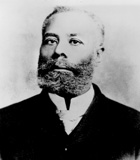
Mario Photo:
Copied from Monkey In The Cage website, 2 July 2013. 

To Cite This Post:
Ginger R. Smith, "A Tate Family Connection" Genealogy By Ginger, 03 July 2013, (http://www.genealogybyginger.blogspot.com : accessed [date])

Thursday, June 20, 2013

The North Carolina Troops Index is Now Online!


Back in October, I let my readers know that the The North Carolina Office of Archives and History had released the latest compilation of North Carolina Troops, 1861-1865: A Roster, Volume 18.  The full set, when completed, will comprise of 20 volumes. Each volume is available for sale from the NC Historical Publications Shop for $50.00 each.

This compilation was started in 1961 “with the purpose of researching, compiling, and publishing service records for every North Carolinian who served in the Civil War.” The rosters are arranged numerically by regiment or battalion an dthen alphabetically by company and include histories on each unit.

Information on soldiers at the time of enlistment include:
·         County of birth
·         Residence
·         Age
·         Occupation

Information on soldiers during service include:
·         Promotions
·         Whether he was wounded, captured, or killed
·         Whether he deserted or died of disease

The best news so far is that now there is a master cumulative INDEX available for the first 18 volumes! And it’s online!

The index contains the volume and page number for every soldier listed – for his individual service record and for everywhere else he is mentioned. It does not contain company and regiment information, but does contain a cross-reference tab for those hard to spell names.

Here is a screenshot of the first page you come to when accessing The Index. It contains the instructions on how to search for your ancestor: (Click on the photos to make them bigger)


This is what a list of search results looks like when I searched for my ancestor’s surname of Godwin:

This is what the Cross-Reference looks like for the surname Godwin:


Who knew there were so many variations on the Godwin and Goodwin surname?


Copies of The Roster are held at the following locations near Raleigh-Durham-Chapel Hill:

Duke University, UNC, Meredith College, NCSU, Peace College; Durham Public Library North Carolina Collection, Orange County (Main Library), Olivia Raney Library, and State Library of North Carolina.


Digitization of the “North Carolina Troops” index was made possible by a joint project between the NC Historical Publications and the NC Department of Cultural Resources Information Technology Application team. 

Monday, May 6, 2013

Identifying Land Grants Using the NC State Archives’ online MARS Catalog


In 1795, Nathan Godwin, Dred Godwin, and Rachel Godwin sold 46 acres of land in Sampson County, North Carolina to John Dormond for seven pounds. The land was located “on the east side of the Little Cohara and on the Mill branch.” Although I searched high and low, I could not find any deed records in which Nathan, Dred, or Rachel Godwin were grantees, having purchased this 46 acres of land from someone else.

In North Carolina, much of the land that came into the hands of the settlers up until the end of the 18th century (and even well into the 19th century) was purchased NOT from existing owners, but from the State of North Carolina (1777-1959). Prior to the Revolutionary War, settlers purchased land from the Lord Proprietors (1663-1729), including Lord Granville, and the Crown (1729-1776). Records relating to these land purchases are kind of confusing, so it is important to know what time period and approximate location your ancestor might have purchased land.

If you have an ancestor, or ancestors, like mine above, who came into land with no story behind how it came into their hands, then chances are they may have been involved in a land grant purchase.  All land grants issued by the Crown, the Lord Proprietors, and the State came from the Secretary of State’s office. Those issued by Lord Granville were issued by the Granville Office. Records from both offices are indexed by the North Carolina State Archives and are accessible online via their MARS online catalog. Navigating the online catalog can be a bit tricky, so follow these steps below for a sure success.

Navigate to the new North Carolina State Archives Homepage and click on the "For the Public" Link at the top: (Click on each photo to make them bigger).

North Carolina State Archives Website

Then click on the "Online Catalog and Finding Aids" Link on the left side of the page: 

North Carolina State Archives MARS Online Catalog

Then click on the MARS online catalog link to access the catalog:

North Carolina State Archives MARS Online Catalog

Once you have the MARS online search open, type in your ancestor’s name into the search box, then where it says "Class, Collection, Series" click on the “Browse” button. I have typed in "Nathan Godwin" in the search box . 

NC State Archives MARS Online Catalog Search

When you click the “Browse” button, a list of all of the indexed collections appear with subcollections hidden within the “+” signs. Scroll down to the bottom and click the “+” sign next to “State Records.”

NC State Archives MARS Online Catalog State Records


Then click the “+” sign beside “Governor's Papers – Jonathan Worth (18 November 1802 – 5 September 1869) … University of North Carolina Board.” Then scroll down and check the box beside "Secretary of State Record Group."  All land grants, including the Lord Granville Grants, are now indexed within the State Record Group collection. All results will include those for the Granville Grants, which usually occurred before the Granville Land office closed in 1763.

Once you have selected the State Record Group collection, click the "done" link at the top left-hand side of the page. 

NC State Archives MARS Online Catalog Secretary of State records


This will take you back to the search page. Now you can click the SEARCH button. 

I got 12 results for searching on Nathan Godwin in the Secretary of State Records.

NC State Archives MARS Online Catalog Nathan Godwin


Looking on the right-hand side you will see the Call Number, whether there is a digital image available for download[1], and the years involved. In the middle of the page, you will see the name and the file number associated with the name. This file number is required if you visit the Archives and you want to find the land grant in the microfilm. This collection is contained on microfilm and is organized by county first and then by file number.

Clicking on a title in the search results brings up a brief summary of the item.


NC State Archives MARS Online Catalog Nathan Godwin


Things to note are the County at the top, the person’s name, and the geographical names which are usually included in the description at the bottom and used for indexing purposes. At the bottom, we see the actual details of the land grant. In this example, Nathan Godwin applied for 150 acres between Black Mingo and Chokeberry Pond which was entered on February 6th, 1793. The land was surveyed, found to be vacant, and returned to the Secretary of State’s Office and subsequently granted to Nathan Godwin on December 17th, 1794, almost two years later. This grant (number 429) was copied into the Patent Book Number 86, page 311.

I checked the descriptions of all 11 of these land grants, but none of them mentioned the 46 acres on the Cohera River that was mentioned in the grant at the beginning of this post. I also did a search for Rachel and Dred (Netheldred/Etheldred) Godwin but found nothing.

I then changed my search criteria from “Nathan Godwin” to “Godwin, Cohera” to see if another Godwin had received a land grant on the Cohera River. But again, I got 0 results. Changing it to “Godwin, Coharie” gave me several results.

NC State Archives MARS Online Catalog Godwin and Coharie


I clicked on Jonathan Godwin and found that he had received a land grant for 46 acres on the “East side of the Little Cohera [Little Coharie Creek] and on the Mile Branch.” This sounded exactly like the same land that Nathan, Rachel, and Dred were selling in 1795 to John Dormond – it was the same 46 acres (an odd amount for that time period) and it was on the “East side of the Little Cohera and the Mill branch.” Only the Mill / Mile branch description was a little off.

NC State Archives MARS Online Catalog Jonathan Godwin

Doing a little bit more research, I learned that Rachel Godwin became the widow of Jonathan Godwin in 1791. I also learned that in 1788, Jonathan Godwin received another patent for 47 acres of land on the East side of Black Mingo and the North Side of Beaverdam Swamp. In 1801, Nathan Godwin sold land with this same exact description to Elizabeth Bagley. Since there are no deeds from Jonathan to Nathan Godwin, or from Jonathan to Rachel Godwin, it is possible that Nathan received the land through inheritance.

This is just one example of how land grants can be very useful in genealogical research. I find them to be a very good starting point, especially if you are trying to track parcels of land through several hands. We are fortunate that our land grants are indexed through the North Carolina State Archives’ website. If you visit their onsite location in Raleigh, you can use the card catalog which is organized first by surname, then by county – that is the county they lived in at the time the land grant was issued.

What about the terminology?
I get a lot of questions about the terminology involved in the Land Grant process. In case you were wondering yourself, here is a brief synopsis of how the Land Grant Process worked in North Carolina:

  1. ENTRY:  This is an application that a person filled out to apply for a PATENT to occupy and purchase vacant land
  2. WARRANT:  This is issued once the ENTRY is approved, telling the county surveyor to measure the tract of land
  3. PLAT:  This is drawn up by the surveyor describing the land in metes and bounds
  4. PATENT:  This is the final document written by the Secretary of State conveying the surveyed land to the applicant. Also known as a Land GRANT


You may be wondering why this is called a Land “Grant” Process but the end product is a “Patent.”  This is because it is a process involving the transfer of vacant land from a granting body to a private person.  

Have you checked out your land grants yet? If so, please share your experiences in a comment below, or feel free to email me.

For more information on using the North Carolina State Archives online catalog (MARS), check out their YouTube videos here. 


[1] At this time, the only digital items that I know of in MARS are the colonial wills. The colonial wills (written before 1776) were filed with the Secretary of State’s office. Wills written after the Revolutionary War were filed with the county. Digital images require the user to download a proprietary viewer called “deja-vu” in order to view the images.  


To Cite This Post:
Ginger R. Smith, "Identifying Land Grants Using the NC State Archives’ online MARS Catalog" Genealogy By Ginger, 06 May 2013, (http://www.genealogybyginger.blogspot.com : accessed [date])

Sunday, March 24, 2013

Updated Family Finder DNA Results


Last Month I talked about the changes that Family Tree DNA was making to their popular Family Finder test. They have been converting their Family Finder test results from Build 36 to the NCIB industry-standard Human Genomic Build 37 – the latest version of the autosomal DNA reference data set being used - for the past two months in order to refine their matching algorithms and provide better matches to their customers.  Many customers saw the following message from Family Tree DNA on their homepage this month:

You may notice that some of the matches you had previously are no longer listed. In almost every case, those matches are in the distant and speculative range. Some may be legitimately related, but many were likely “noise”—small coincidental matching segments that create the illusion of matching. The more distant the relationship, the less likely a match can be predicted with confidence. We are aware that you may have spent a significant amount of time researching those matches, but Family Finder was specifically designed to find matches within the past 5-6 generations.
As the field continues to advance, we're obligated to continually apply the latest scientific advances not only to current and future tests, but to those that have already been performed. Sometimes this will involve changes to your results. Because this particular field is still evolving, it is likely that future adjustments will be made to refine your results.
Fortunately, I wasn’t one of the few who completely lost their matches, but I know some people who were.  Before the upgrade, I had 341 matches. At the time I wrote my last blog post on the 25th of February outlining these changes, I had dropped down to 298 matches. Today I have 304 matches, however 57 of them are new.

How can I tell that they are NEW, you ask?

Prior to the change to the new build, I had assigned a known relationship to every single one of my matches. This is necessary to do in order to look at your In Common With (ICW) matches.  The ICW feature consists of a list of matches that you have in common with at least one other match. So if I am a match with my mother and I want to know who of my matches is also a match to my mother, or In Common With her, then I can use the ICW feature in the drop down box of my Family Finder matches page, select my mother, and then get this list and export it to a file.

At this time, you have to have a known relationship assigned to each person in order to get an ICW list for them. This is the little orange button beside each match’s name that says “Assign.” You do not have to assign a specific relationship, especially if you do not know what it is. I assign “distant cousin” to everyone. And they do not have to “confirm” or accept it for it to work. Family Tree DNA has promised to eliminate this requirement in the future, however we are not sure yet when this will happen.

Once I have assigned “distant relationship” to all of my matches, I can either pull up each match, all 300+ of them one by one in the drop down box and then download their list of ICWs to excel or I can use a nifty tool created by Rob Warthen that is accessible on www.DNAgedcom.com.

To use this tool, all you have to do is register once, then enter your ftDNA kit ID and password (or 23AndMe) and select to download your data. Three files will be downloaded:
  1. Your raw chromosome data – this is similar to your chromosome browser data except you don’t have to go through the painstaking task of selecting 5 matches at a time to download, then compiling 40 or 50+ csv files into one excel spreadsheet – this tool does all of this for you automatically
  2. Your In Common With file – again, saves you the time by automating the task of selecting your matches one by one in the drop down box and downloading their ICW matches – these are all compiled into one spreadsheet
  3. Your list of matches – this is the same file you would download from the list of matches which includes their name, email address and surnames

The download can take up to thirty minutes to download, so let it rip. Also, it only works if you have every single one of your matches assigned as a distant cousin or some known relationship.

So going through my list of matches again, anyone who has an orange “Assign” button beside their name I have labeled as a new match. In last month’s post I also mentioned that Family Tree DNA was allowing people from other companies such as 23AndMe to transfer their test results to the ftDNA database (which is one of the reasons they had to upgrade to the latest genomic build). So some of these new matches might be 23AndMe matches.

I am excited to be back on track with my matches and to finally be able to work with 23AndMe matches. I am also hopeful that the new algorithms will results in better quality matches. Genetic genealogy is a time consuming “hobby.” Any and all tools that can help to streamline the process of building connections are welcome.


To Cite This Post:
Ginger R. Smith, "Updated Family Finder DNA Results" Genealogy By Ginger, 24 March 2013, (http://www.genealogybyginger.blogspot.com : accessed [date])

Thursday, February 28, 2013

Elijah McCoy - An Inventor


Last weekend I went through the list of keywords people entered into their search engines that brought them to my blog. One person searched for Elijah McCoy and another person (maybe the same person?) also searched for David McCoy. David McCoy was the grandfather of my great-grandmother, so I can understand why they would have landed on my blog after typing that into their search engine. But I don’t have any ancestors that I know of named Elijah McCoy. This prompted me to post the estate files of David McCoy on my blog. You can read about them here.

I figured I would eventually come across an Elijah McCoy in my research and when I did, I would post something about him on my blog. When I was working at the library later in the week I was helping a patron select some juvenile non-fiction books on Sacajawea and on the shelf display was a book about Elijah McCoy! Evidently he was the son of slaves who loved to work on steam engines and even studied as a mechanical engineer in Scotland. However, when he came to Michigan the only job he could get was shoveling coal into the train’s firebox. He didn’t let that discourage him though. He rose above his situation and became an inventor. He invented an oil cup that would oil the train’s engine while it was running!

Monica Kulling’s biography, All Aboard! tells about Elijah McCoy’s invention of the oil cup. This book offers reader between the ages of 6 and 12 a look through pictures and descriptive text into the life of a boy given very little opportunity who makes the best of it. 

You can read more about Elijah McCoy on his Wiki page here.

So, I wonder if the person who entered “Elijah McCoy” into their search box and land on my blog was looking for the young inventor described in this book or were they looking for an ancestor by that same name?

Wednesday, February 27, 2013

Distribution of Property of David McCoy of Greenville, SC


My great-grandmother, Blanche Kathryne Hill, was the granddaughter of Josephine F Cox and Joseph Watson Hill of Greenville, South Carolina. Josephine and Joseph Hill moved from Greenville, South Carolina to Center Point, Howard County, Arkansas in 1869.

Josephine had been left an orphan at a young age. Her father, Robert Cox, died when she was just 8 years old and her mother, Basheba McCoy Cox, followed a couple of years later in 1852.  Josephine's mother, Basheba McCoy, had also been left without a father at a young age. Her father, David McCoy, had died when Basheba was only 16 years of age. However Basheba and her sisters were already married off with husbands by the time their father passed away.

The following distribution of property from David McCoy's estate file provides a list of names of his 4 daughters - Louisa, Teeley, Shaloma and Basheba in addition to their husbands' names:


Amount of Property Advanced in the lifetime of David McCoy late deceased:

Ezekial Spriggs Husband of his 1st Daughter Louisa
4 Negros $975
and other property to the amount of $55 -- total $1030

Benjamin McKenzie Husband of his 2nd Daughter Teeley
2 Negroes & other property $553 - 2 = $551
deduct $2 for bedsted

Robert Cox Husband of his 3 Daughter Barsheba
2 Negroes & other property to the amt $774

Asa May Husband of his 4 Daughter Shaloma
2 Negroes and other property to the amount $755

Estimated by us this 29th of November 1822

Geo Salmon
Joseph Cobbs
Thos Blyth


David McCoy died around 1822 in Greenville County, South Carolina. No will was found for him in Greenville County. He preceded his wife Susan McCoy in Death (last name unknown). 

His estate was managed by his administrator, Robert Cox (husband of his daughter, Basheba McCoy Cox). David McCoy's estate files were downloaded from the FamilySearch.org website, "South Carolina Probate Records, Files and Loose Papers, 1732-1964." These records were microfilmed by FamilySearch at the Greenville County Probate Court. David McCoy's estate papers were contained in File no. 339. 

From this page, we learned the following: 

Basheba McCoy married Robert Cox
Louisa McCoy married Ezekial Spriggs
Teeley McCoy married Benjamin McKenzie
Shaloma McCoy married Asa May


I have several Family Finder DNA matches to people with the Cox surname in their family trees. I also am a match to a couple of McKenzies. This might be the connection to them.

Here is my line to my Great-Grandmother Blanche (father's side):
Me
Dad (Tim Smith)
Grandmother (Barbara Binns)
Great-Grandmother (Blanche Hill)